Fetching Data from an API
Periodically pull data from GET, POST, and OAuth 2.0 secured endpoints into a PersivX workspace.
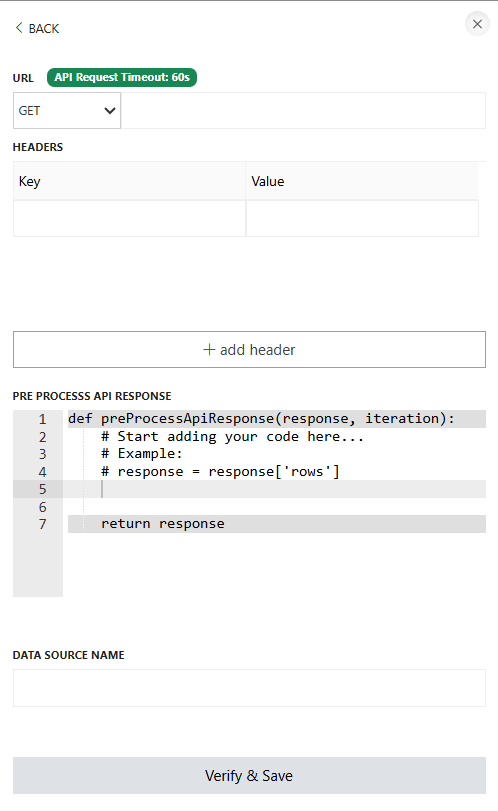
The retrieved data can be pre-processed using Python before being fed into the workspace. The final data passed to PersivX must be in a 2D array format, similar to a SQL table.
There is no restriction on the size of the data, as long as the API response completes within 60 seconds and total disk usage stays within the limit allotted to your organization.
Passing Headers
Some SaaS products require authentication before their APIs can be accessed. In those cases, authentication headers can be included in the API request. PersivX imposes no limit on the number of headers you can pass.
Steps to Connect
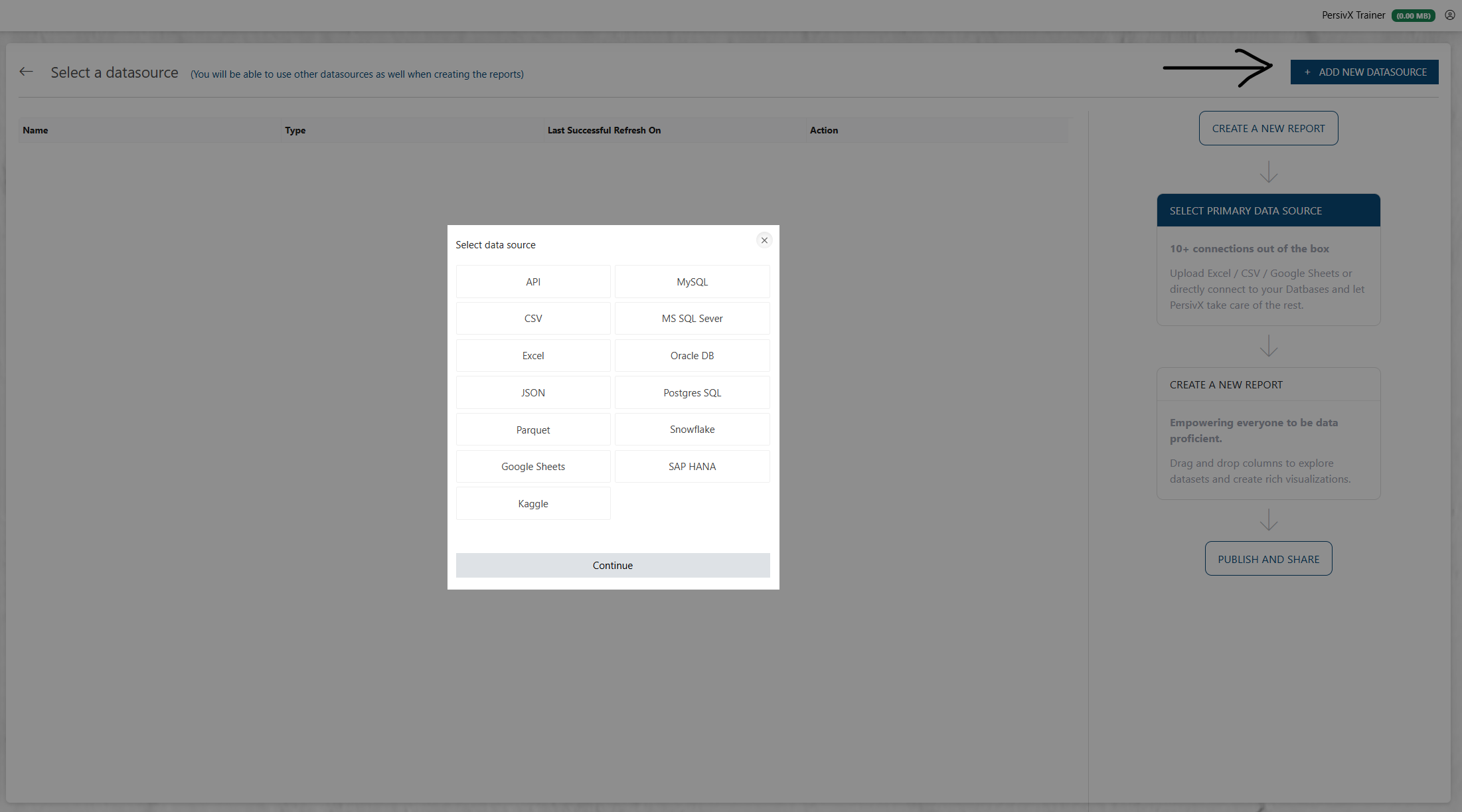
Step 1: Select API
Step 2: Add API Details
Retry and SSL Options
Two switches are available when configuring the API request:
- Retry on API failure — if the request throws an error (timeout, connection error, etc.), PersivX retries it once before giving up.
- Skip SSL certificate verification — disables TLS certificate validation for this API's requests. Off by default.
Data Refresh
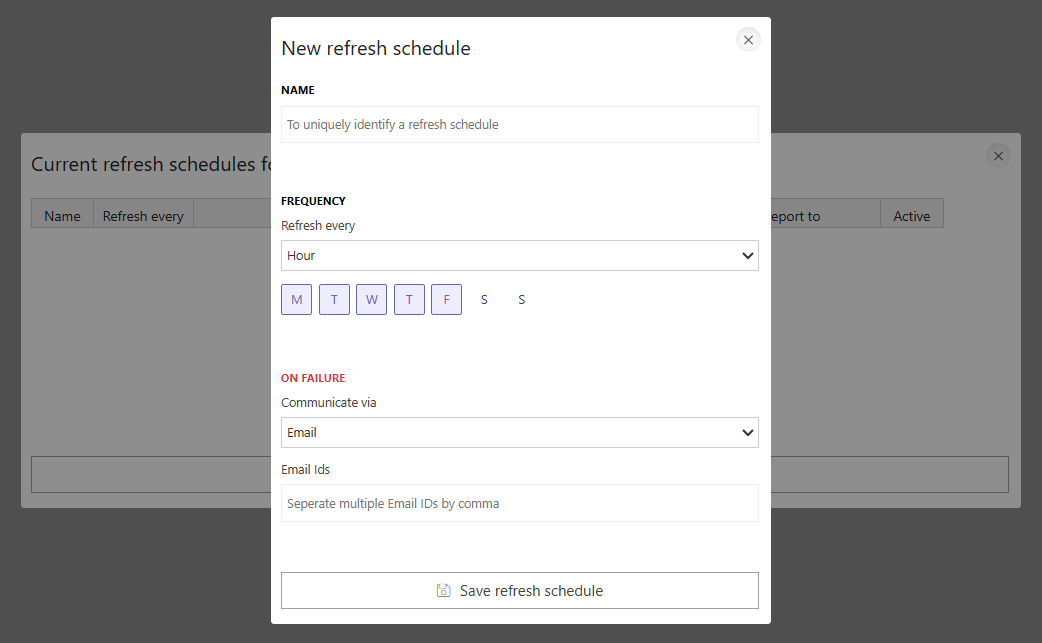
If multiple APIs are added to a PersivX workspace, each one can have its own refresh frequency. Intervals can be hourly, daily, weekly, monthly, or a custom schedule.
Schedules can also be combined — for example, refreshing every weekday (Monday to Friday) at 6 PM and adding an extra refresh at 12 PM every Monday — by creating multiple refresh schedules for the same API.